Location: GUIs >
Windows >
Windows XP (NT 5.1)
Windows XP
screen shots.
With Windows XP ("XP" allegedly stands for "Experience") Microsoft has
given The Windows UI yet another makeover.
The primary differences between Windows XP (AKA Windows NT 5.1) and
Windows 2000 (Windows NT 5.0) are a shiny new blue theme and yet even more
webbyness.
Windows XP marks the end of the DOS based Windows as there has been
no updated version of the DOS based Windows released since Windows ME.
Windows XP is now the only desktop OS produced by MS and comes in both
"home" and "professional" flavors.
The following images are in PNG format. Because of the color gradients
used the images on your screen may look kind of blotchy in places unless
your video is set to 24 or 32 bit color. Click the thumbnail for the large
version.
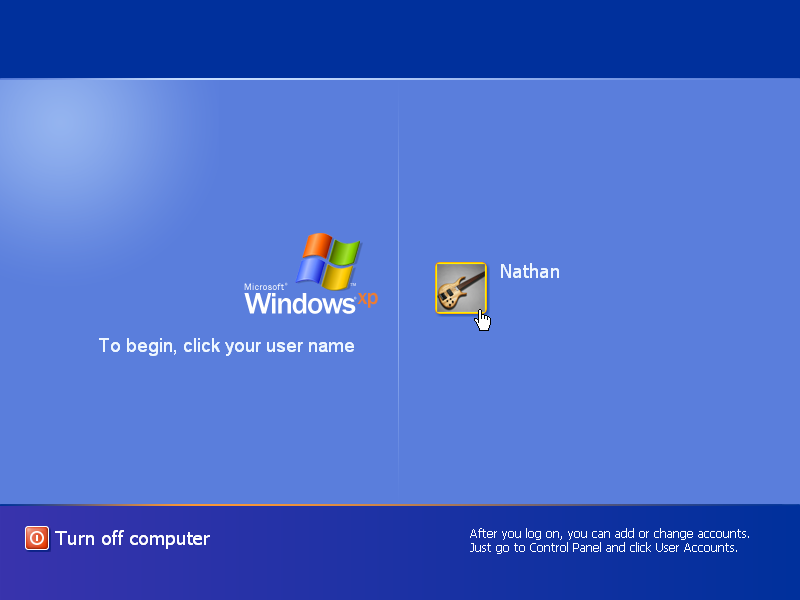
Logging in is now done through this pretty screen. The classic login
screen can be reached by pressing ctrl-alt-delete.
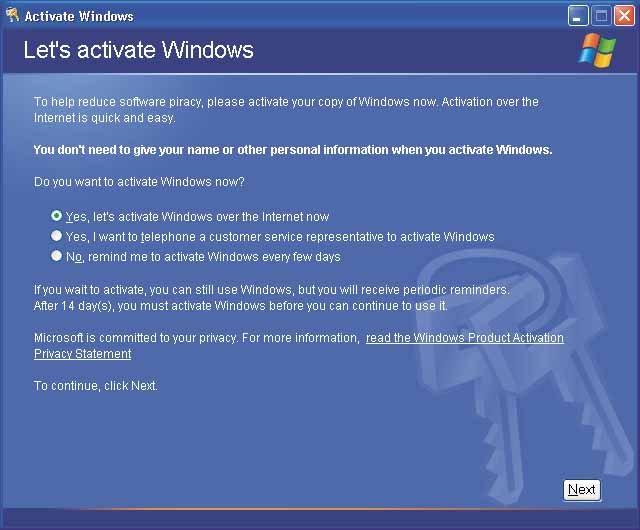
Microsoft requires users of Windows XP to "activate" their copy of
Windows by phoning Microsoft. You have two options. You may activate over
the Internet if you have access, or you may call a Microsoft customer service
representative and give them this HUGE (50 character) installation ID number
and they give you another really long one back that you must type in as
a confirmation ID.
In the event your computer hardware changes (if you upgrade it or add
a component) Windows XP may demand that you re-activate with Microsoft.
You had better hope you are somewhere near a phone when you install
this monster. If you don't have internet access hope you are not dyslexic
and are a good typist. You had better hope Linux or the DOJ hasn't put
Microsoft out of business because with no one to "activate" this product
for you, you will be up the creek.
I predict that 5 years or so from now Microsoft will refuse to "activate"
Windows XP any more. The reason? There will be a newer version of Windows
out by then that Microsoft will do anything to make you buy. Need to re-load
that old computer that crashed? Forget it, expect to fork out more money
for the latest Windows that probably will require you to buy a faster computer
anyway.
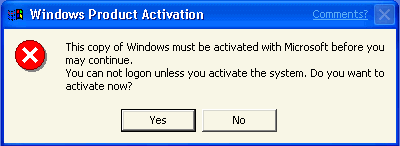
And if you don't "activate" with Microsoft within the specified time,
you will get a message like this.
Windows will not allow you to log in. Clicking "yes" will run the activation
program, and that is all you may do.
Thankfully there are already a number of cracks out there to get around
this BS. There also seems to be a special corporate-only version of Windows
XP that comes "pre-activated".
This activation scheme hasn't succeeded at stopping piracy. At best
it has prevented a few lamers from installing unlicensed copies. It has
only succeeded at preventing a number of authorized users from installing
/ re-installing their licensed copies and otherwise annoying customers.
Why does the world put up with this junk?
Once you have "activated" Windows with Microsoft (or installed a crack)
you may continue to use Windows normally.
This is the default screen you will see when you first log in to Windows
XP.
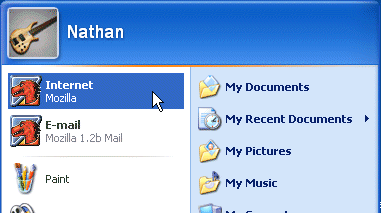
The new start menu displays the user name of whoever is logged in, icons
for the most recently used apps, and icons for various user folders.
At the top of the new Start menu it displays icons for the default
web browser and e-mail client. Yes, the
DEFAULT web browser. If you install Netscape Communicator, for example,
and let it be the default browser, the icons will change to Netscape's.
Of course, I guess there is enough stuff to click on (IE icons and misc.
shell browser links) that will only launch IE.
The above screen shot shows an example Start menu with Mozilla as the
default web browser.
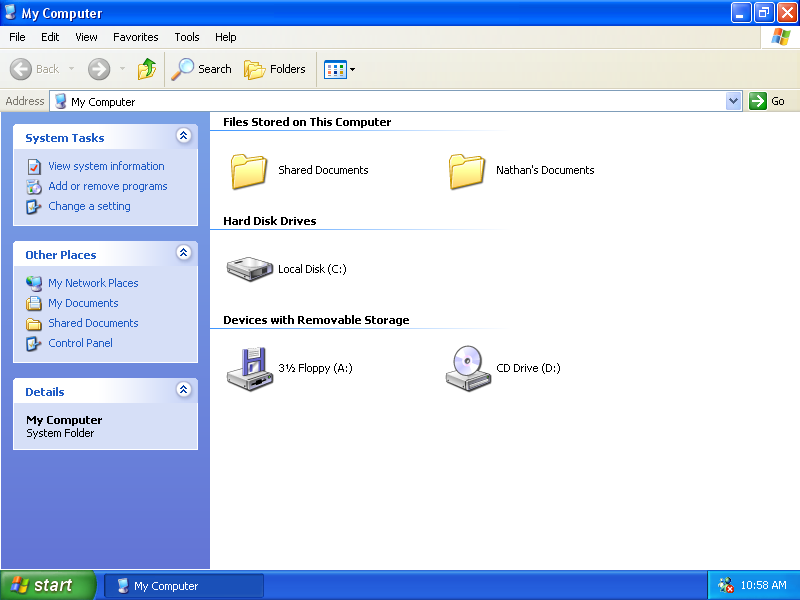
In Windows XP Microsoft has made the file browsing prettier using large
icons and thumbnail views.
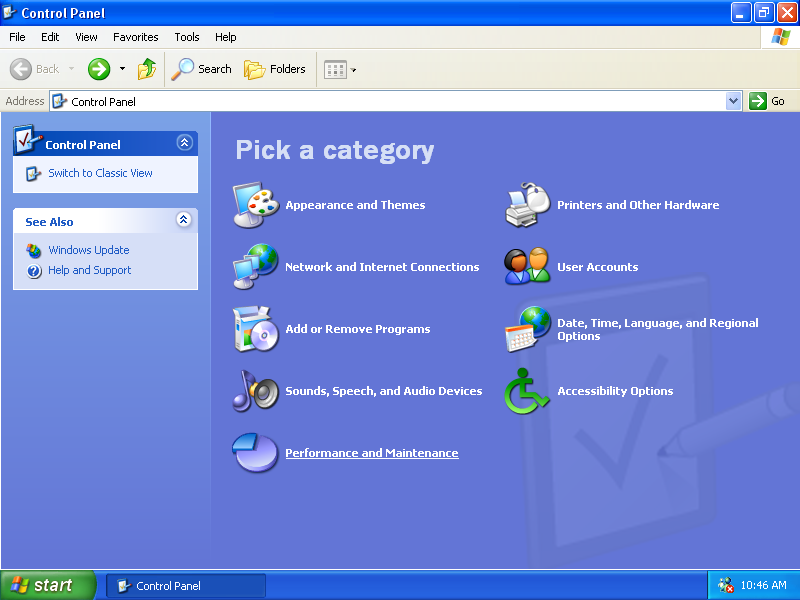
The main control panel has been changed to a web page although most
of the control panel applets are still tabbed dialog boxes. Some of the
applets such as the user management control panel have been changed to
a webby interface.
At 800*600 screen resolution (but not at higher resolutions) the explorer
windows automatically maximizes to take up the entire screen. From the
way Microsoft is going perhaps they need to change the name of "Windows"
to "Pages".
I think I need to download Active Pooper Scooper to clean up this mess.
Using any of the search options opens up this window and for no adequately
explained reason displays an animated character.
 |
 |
| Rover 2002: Windows XP |
Rover 1995: Microsoft BOB |
For those of you who aren't familiar with this critter, this is Rover
Retriever who in back in 1995 was the star of the legendary flop of a software
product known as "Microsoft BOB".
Here is yet another example of Microsoft abusing their OS Monopoly.
With no obvious way to permanently get rid of this message, it implies
that you MUST sign up for MS Passport or else you won't be able to do anything.
Interestingly, Windows XP will not allow the user to set a resolution
lower than 800*600. It is to bad it doesn't make the user select a refresh
rate higher than 60hz (To me a 60hz screen is like looking in to a strobe
light, and this can cause serious eye strain even if your eyes aren't sensitive
enough to see it!).
Also interesting is there is no longer a tab for Active Desktop (the
settings are now hidden elsewhere). It also seems other references and
terminology relating to Active Desktop has been changed or removed, although
Active Desktop is still there.
The remote desktop connection application is a new addition to the Windows
software bundle. The client application (shown above) can be downloaded
for any earlier version of Windows. However the server application is a
crippled version of Windows Temrminal Server, which is a Windows NT only
application, that is bundled with Windows XP.
Terminal services has a slight edge over its competition because it
is hooked in to low-level windows drawing APIs. This makes it a bit faster
and gives it slightly more reliable repainting.
But for those interested in such things I strongly recommend checking
out VNC
instead. VNC is available for all versions of Windows and many other platforms
as well.
I find this new feature overly complicated. Windows XP lets you change
the icon for individual folders (But not files).
The complicated part about this is that an "icon" and "thumbnail" are
treated as two different things even though they serve the same purpose.
Selected folder icons can be converted to thumbnails but not the other
way around so you may need to select two graphics for your folder. It even
goes as far as offering folder templates you can select from.
And to make this feature totally useless, the default selection of icons
has few decent folder icons to use.
As usual you have to browse for an icon or thumbnail. In MacOS you don't
have to do any of this. All you have to do is copy a graphic (any kind)
to the clipboard, select "get info" for the file and paste the graphic
over the icon.
Probably the most popular feature in Windows XP is its new ability
to "theme" the window management and controls.
The default Windows XP theme (Which has been called the "Bozo the clown"
theme by a number of people) replaces the previously industry standard
3-d appearance with a flat appearance that is geared more towards web pages.
Unfortunately the only themes that are included are the "Windows XP"
and "Classic" (no theme) theme. Because these are drawn using graphics
they do not respect system colors and must use variations of the theme
instead.
The Windows XP theme includes only blue, olive green, and silver color
variations. You like red? Forget it. You could turn off the themes and
use the system colors (now under the "advanced" button shown above), but
the pretty theme was probably what you bought Windows XP for wasn't it?
Well, the themeing ability makes it easier for MS to change things around
in the future so consumers will go "ohhh" and "ahhh" at the same old thing
thinking it is something different.
I discovered that not all applications automatically use the new themed
buttons and controls. Windows and Office already have a number of inconsistent
customized variations of standard controls and this adds yet even more
inconsistency to the Windows appearance.
One of the most annoying problems with Windows NT is that users by default
don't have permission to set their
clocks. The next most annoying thing is that users can't figure out
how to set it anyway. This built in time synchronizer may help solve this
problem.
One thing that puzzled me for a long time: In the original version of
Windows 95 you could click on the map of
the world to set the time zone. It doesn't work on Windows 95 OSR2,
NT 4, or later. Seems it was some crazy
border dispute that caused MS to just give up on this feature: http://www.theregister.co.uk/content/4/19387.html
Here is the media player application with its XPish theme. Like so
many media players today it has to re-invent its own UI controls.
Crashing is handled differently. It can send a crash report back to
Microsoft. Somehow I doubt they are really sorry for any inconvenience.
DO NOT believe this. Microsoft finally put IE in the add/remove programs.
HOWEVER
the only thing it removes is a couple of shortcuts. IE is
NOT uninstalled
and can still be run, security holes and all.
After switching to the classic theme, turning off web view, switching
the fonts from Tahoma to the more easily readable MS-Sans Serif and using
throbboff, Windows is almost usable again.
Shutting down Windows XP. An interesting feature (not shown here) is
that Windows XP allows "switching users" in the log off screen. Any programs
you have running will stay running, but you won't see them and a different
user can log in.
|