Location: GUIs >
Linux / Unix >
IRIX Interactive Desktop 6.5
IRIX 6.5
IRIX Interactive Desktop Screen shots.
Thanks to Ian Chapman
for these screen shots!
IRIX is a UNIX based OS written by SGI for their workstation computers.
SGI workstations are extremely high end graphics processing machines commonly
used for 3D animation, visual simulations, and many scientific applications.
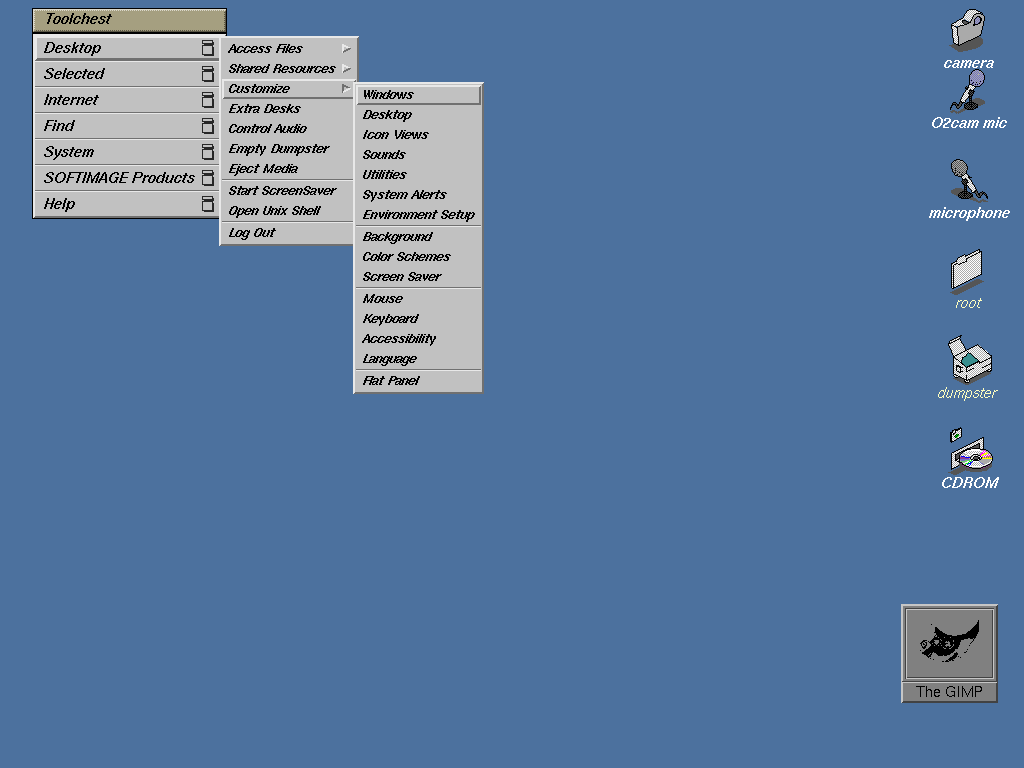
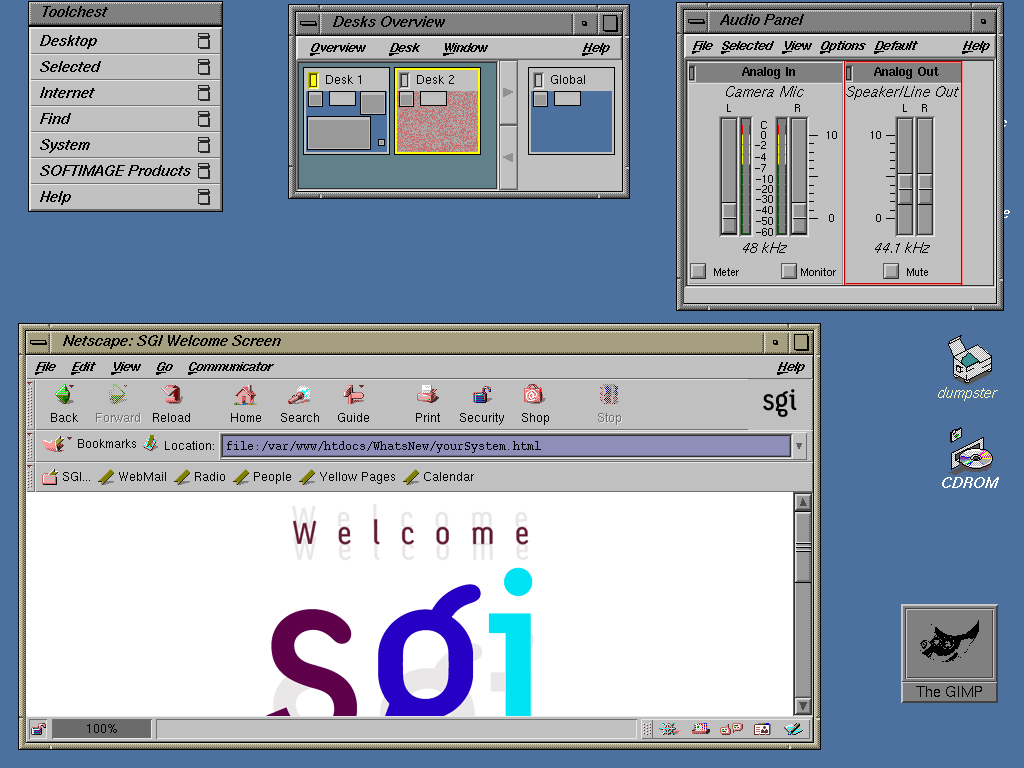
This is the default IRIX desktop.
The menu in the upper left is the Toolchest. This menu is normally present
on the desktop and provides a list of the applications and utilities that
are installed on the system.
The camera and mic icons launch applications used for video and audio
capture. Most Silicon Graphics workstations come with a video capture device,
generally a camera.
The personal data folder (or "home" folder) for the current user also
displays on the desktop. In this case the user is "root".
The dumpster is used to delete files by dragging and dropping their
icons to it. This is basically the same as the Windows "Recycle Bin" and
the Macintosh "Trash" icon.
CDROM - A starting point for browsing the files on the CD-Rom media.
Other attached media drives will also appear on the desktop when
connected.
Minimized applications appear as a square icon on the screen such as
this Netscape icon. The application running in the above screen shot (and
shown in the other screen shots) is The Gimp, a popular graphics program
used to make these screen shots.
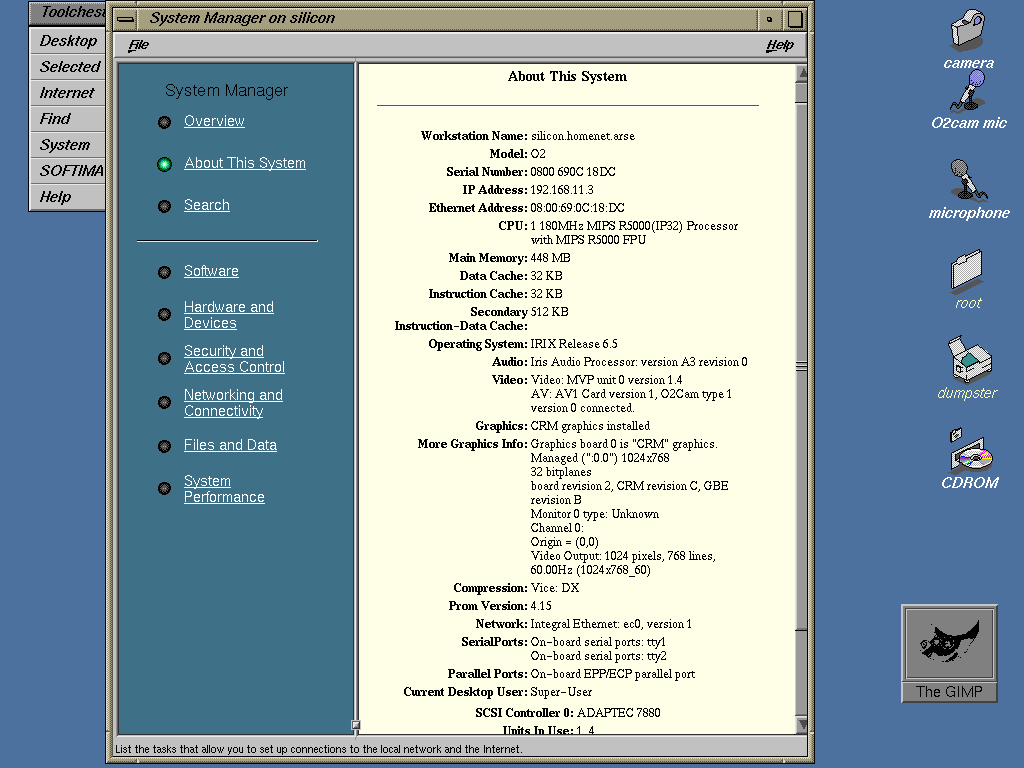
This screen shot shows System Manager, the central system configuration
utility / control panel. It provides for easy configuration of hardware
devices, user accounts, and networking.
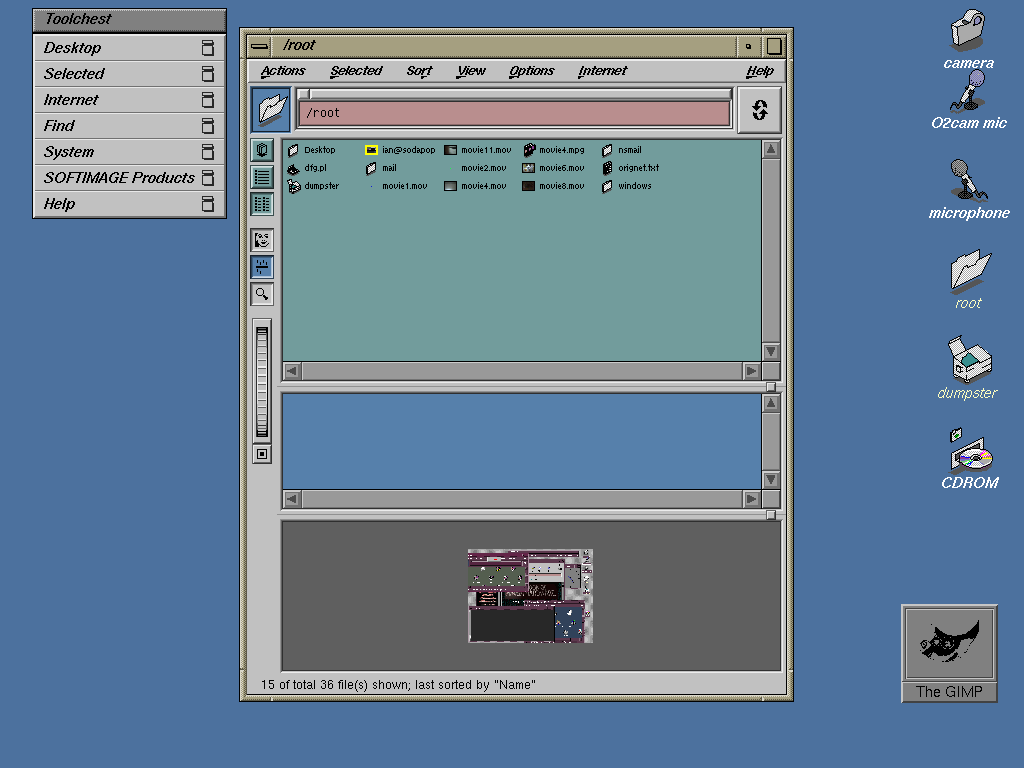
This screen shot shows a Directory View window which is used for managing
files. The pain at the bottom is the Content Viewer pane that can preview
different file types. This screen shots shows the Content Viewer previewing
a graphic.
In the File View window the roller on the left side of the window is
used to change the size of the icons.
 
One of the most unique features about the IRIX desktop is that its
icons are vector images instead of bit-mapped images. This means they can
scale to any size in real-time without losing any quality.
Like many other Unix desktops IRIX has the ability to work with multiple
desktops at once. Switching and managing these desktops is accomplished
through the Desktop Overview
This screen shots also shows the audio panel and the included SGI branded
version of Netscape Navigator.
The SGI help viewer is the standard application for viewing IRIX help
files and documentation.
The Confidence Tests utility is an interesting program that can not
only detect hardware but also perform diagnostics on the hardware. This
is possible because IRIX is designed specifically for SGI hardware.
Like many modern GUIs IRIX has a number of accessibility options to
aid movement-impared users. This screen shot shows the Accessibility
Settings control panel.

These screen shots show a number of the desktop customizations available
in the IRIX desktop.
The Desktop Environment Setup is somewhat unique for a Unix system in
that it gives the user the option to have the same desktop environment
across multiple machines on a network or choose to use a new environment
for a machine.
These screen shots also show the Background Setting, Color Scheme Browser,
Desktop Settings, Window Settings, and System & Desktop Sounds.

These screen shots show the Screen Saver settings, Mouse Settings, Keyboard
settings, Default Viewer & Editor Utilities, Default Layout For Icon
Views, and Alert Settings.
An interesting thing to notice is the use of "Thumbwheel" widgets in
the Desktop Settings, Default Layout for Icon View and in other places.

These screen shots show the Graphics Back End Controller that lets
the user set the video configuration.
Because SGI workstations are used for high end video processing the
Graphics Back End Controller allows more detailed advanced control over
video options than typical computer systems.
The IRIX desktop has built in support for time zones, country currency
/ date formatting, language settings, and keyboards for other languages.
These can be set in the International Control Panel shown here.
The File system manager is a graphical utility that mounts and unmounts
local and remote file systems.
This screen shot also shows the Process Manager that lists all running
tasks on the computer, and the Printer Manager. (Note: the Printer Manager
window is supposed to be white, not blue).
Lastly, this screen shot shows the Software Manager. This utility is
the standard way of adding and removing software packages under IRIX.
|